
Sprite Sheets Explained
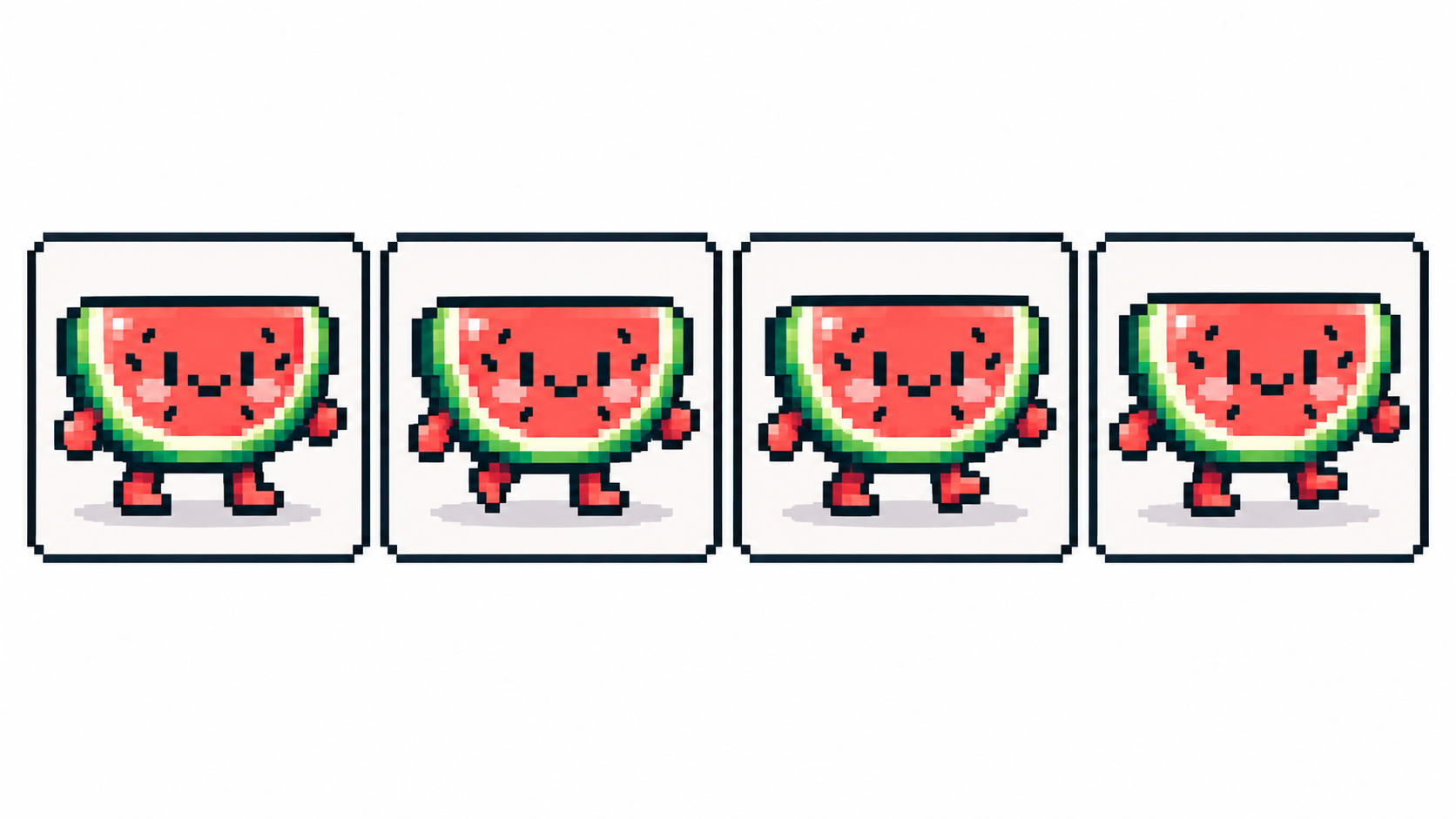
A sprite sheet is every animation frame laid side by side in one image — the format game engines actually consume.
Anatomy of a sheet
One row (sometimes a grid) of equal-sized cells, each holding one frame in filmstrip order: cell 1 is frame 1. Consistent cell size is the contract — engines slice by coordinates, so a wandering frame breaks everything downstream. Transparent background is standard; PixiMelon sheets keep the alpha channel intact.
Export from PixiMelon
Order frames in the animator’s filmstrip — that order becomes the sheet, left to right — then Sprite sheet downloads one PNG with all frames side by side at native canvas resolution. Name the project first; the filename follows. Single frames can still leave as PNG, SVG or PDF when you need just one cell.
Sheets that engines love
- Uniform cells with breathing room — never let a sword tip touch a neighbor cell.
- One action per sheet (walk, idle, attack) so slicing stays trivial.
- Consistent palette across sheets — shared colors compress better and look coherent.
- A stable anchor: feet on the same baseline row in every cell, so characters don’t float.
Planning game art end to end? Pixel art for video games covers sprites, tiles and UI together.
Sheet or GIF?
Sharing and previews → GIF. Production game assets → sheet, always. If GIF export ever struggles on a huge canvas, the sheet is the dependable fallback.
Frequently asked questions
What is a sprite sheet?
One image holding animation frames side by side in order, which engines slice into cells.
What order are PixiMelon frames exported?
Filmstrip order, left to right. Reorder with the ◀ ▶ buttons before exporting.
Do sprite sheets keep transparency?
Yes — PixiMelon sheets are PNG with the alpha channel preserved.
How do game engines read a sprite sheet?
By coordinates: uniform cells in filmstrip order with a stable anchor like feet on one baseline, so slicing never drifts.
Have a sprite ready? Animate it online